
QuillBot Review 2026: Is Premium Worth It or Overhyped?
Affiliate disclosure: This article contains an affiliate link to QuillBot. If you buy through it, I may earn a commission at no extra cost to you. It does not change my ratings or conclusions.
Pricing and feature data below were checked against QuillBot’s official pricing page and competitor pricing pages. Limits can vary by platform and region, so confirm everything on the checkout page before you pay.
Quick Verdict & Key Takeaways
QuillBot Review at a Glance
QuillBot is an AI-powered writing assistant built around paraphrasing: you paste in text, pick a mode, and get a reworded version. Around that core it adds a grammar checker, summarizer, plagiarism checker, AI detector, humanizer, citation generator, and translator.
I have used it for rewriting drafts, tightening sentences, and cleaning up rough copy. It does one job very well (restructuring sentences), covers several other jobs adequately, and needs a human editor on every output.
| Category | Rating |
|---|---|
| Overall Rating | 4.0 / 5 |
| Ease of Use | 4.5 / 5 |
| Paraphrasing Quality | 4.3 / 5 |
| Grammar Checking | 3.8 / 5 |
| Value for Money | 4.2 / 5 |
How I scored it:
- Ease of Use reflects the interface, how fast you can switch tools, and how little onboarding you need.
- Paraphrasing Quality reflects meaning preservation, natural phrasing, and how much editing the output needs.
- Grammar Checking reflects accuracy and depth compared with dedicated grammar tools.
- Value for Money reflects what Premium unlocks compared with the Free plan and with competitors at similar prices.
[VERDICT] QuillBot is a strong choice if paraphrasing is your main task. It is a weaker choice if you mainly want grammar, tone, and style coaching.
The Bottom Line
Biggest strengths: a specialized paraphrasing workflow with several modes and synonym controls, a permanent Free plan, and a wide toolkit under one subscription.
Most important limitations: the Free plan is tight (125-word paraphrasing cap), rewrites can shift meaning or tone, and detection tools give imperfect results.
Free or Premium? Occasional users with one-paragraph edits can stay on Free. People who rewrite or proofread regularly will hit the Free limits quickly, and for them Premium is where the tool starts to make sense.
The best reason to pick QuillBot over competitors: it is built specifically for paraphrasing, and Premium costs $10/month on the annual plan, which is below Grammarly Pro’s listed $12/month.
Who Should Use QuillBot?
- Students who need help rewording sentences and improving clarity in academic writing.
- Bloggers and content creators who want to refresh and tighten existing content.
- Freelance writers and marketers who want a faster editing workflow.
- Non-native English speakers who want clearer, more fluent sentences.
Who Should Consider an Alternative?
- Professional writers who need deep grammar and style recommendations.
- Researchers who need rigorous citation and source verification.
- Anyone who puts factual accuracy ahead of rewriting speed.
- Teams that need advanced collaboration and organization features beyond what QuillBot’s Team plan offers.
Key Takeaways
- Best for: AI-powered paraphrasing and sentence restructuring.
- Free plan: suitable for occasional rewriting and basic writing help.
- Premium plan: better suited to frequent writers who need expanded functionality.
- Main limitation: rewrites may need manual editing to keep meaning, tone, and accuracy intact.
What Is QuillBot?
An Overview of QuillBot
QuillBot is a web-based writing platform (with browser extensions, a Word add-in, and mobile apps) that uses AI to rewrite and improve text. Its core purpose is paraphrasing, and it also handles grammar correction, summarization, and general writing improvement.
It differs from a general-purpose chatbot in one practical way: you are not prompting a conversation. You give it your own text, and it transforms that text with a specific tool. It also differs from a traditional grammar checker, which flags errors, because QuillBot’s main job is to restructure sentences rather than only correct them.
QuillBot’s Position in the AI Writing Assistant Market
QuillBot specializes in paraphrasing and rewriting. Students, bloggers, marketers, and professional writers use it because rewording a sentence several different ways is a task that comes up constantly in all of those jobs.
Compared with broader assistants, its primary use case is narrower. Grammarly leans toward grammar, clarity, and tone across everything you write. Wordtune focuses on sentence-level alternatives and phrasing. QuillBot sits closer to the “rewrite this paragraph” end of the spectrum. I am not making claims about market share or user counts here, because I could not verify them.
How Does QuillBot Work?
The workflow is simple:
- Paste or upload your text into the editor.
- Select the writing tool or paraphrasing mode.
- Generate the rewritten or improved text.
- Review the result and fix anything that drifted.
Adjustable settings change the output. Mode choice changes tone and length, and the synonym control changes how aggressively words are swapped. Higher synonym settings give more variety, but they also raise the chance of odd word choices.
[PRO TIP] Treat the output as a draft. Read the result against your original sentence by sentence, especially numbers, names, and any qualifier like “may,” “often,” or “in some cases.” Those are the words rewrites tend to flatten.
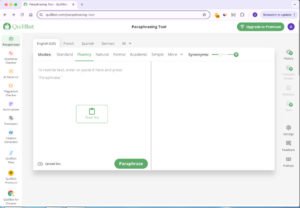
[INSERT SCREENSHOT: QuillBot paraphraser editor showing original text on the left, rewritten text on the right, and the mode selector and synonym slider visible]
Is QuillBot Suitable for Academic and Professional Writing?
It works well for polishing essays, reports, emails, articles, and business messages, particularly at the sentence level.
Two points matter here:
- Paraphrasing does not remove the need to cite. If an idea comes from a source, you still credit that source, however much the wording changes.
- Institutions set their own AI rules. Some allow grammar and phrasing help, some restrict it, and some require disclosure. You are responsible for originality, accuracy, and compliance with the policy that applies to you.
QuillBot Features Breakdown: What Can It Actually Do?
QuillBot Paraphraser: Modes, Controls, and Writing Quality
Free users get two modes (Standard and Fluency). Premium offers nine built-in modes plus custom modes, and paraphrasing in 23 languages. Confirm the current mode list on QuillBot’s site before publishing, since availability can change.
Standard Mode
Standard rewrites sentences while trying to keep the original meaning. It is the default I reach for on everyday writing and basic restructuring, and it tends to produce the smallest changes.
Fluency Mode
Fluency prioritizes readability and natural grammar. It is useful for rough drafts and for non-native English speakers, since it smooths awkward constructions without moving far from the source.
Formal Mode
Formal adapts wording for professional and academic contexts. It helps when a paragraph sounds too casual for a report or proposal. It can also overshoot and make simple points sound stiff, so I use it selectively.
Simple Mode
Simple turns complicated wording into easier language. It suits explanatory content and accessible communication. The trade-off is that nuance can drop out of technical passages.
Creative and Other Available Modes
Creative changes expression and sentence structure more aggressively. Expand adds length and detail, and Shorten trims it. Each one shifts structure, length, or style in a different direction. Check the current list on the product before publishing.
Paraphrasing Controls and Customization
Premium gives you synonym controls, mode comparison, and paraphrase history. Customization affects quality directly: moving the synonym slider up produces more variety but also more unnatural phrasing, because the tool starts swapping words that do not fit the context.
[PRO TIP] Start at a low or medium synonym setting and raise it only if the output is too close to your original. Pushing it to the maximum is the fastest way to get awkward sentences.
Real-World Paraphrasing Test

For my testing I ran the same sample paragraph through several modes and compared each output with the original, scoring meaning preservation, readability, grammar, tone, and how much editing I had to do.
[EDIT BEFORE PUBLISHING: replace this note with your actual results. Run one 100-word paragraph through Standard, Fluency, Formal, Simple, and Creative, then record what each mode changed and how many edits you needed.]
| Mode | Meaning preserved | Readability | Tone shift | Editing needed |
|---|---|---|---|---|
| Standard | [your result] | [your result] | [your result] | [your result] |
| Fluency | [your result] | [your result] | [your result] | [your result] |
| Formal | [your result] | [your result] | [your result] | [your result] |
| Simple | [your result] | [your result] | [your result] | [your result] |
| Creative | [your result] | [your result] | [your result] | [your result] |
[INSERT SCREENSHOT: Original paragraph next to the Standard mode output] [INSERT SCREENSHOT: Same paragraph rewritten in Formal mode and Creative mode, side by side]
[VERDICT] Paraphrasing is where QuillBot earns its price. Expect a good first draft, not a final one.
QuillBot Grammar Checker

The Grammar Checker flags grammar errors, spelling mistakes, and punctuation issues, and it is useful for proofreading essays, emails, blog posts, and reports. Free gives you basic fixes, and Premium adds advanced grammar recommendations.
Its suggestions are generally clear and easy to accept or reject. Compared with a dedicated tool such as Grammarly, it is less comprehensive on tone, clarity, and style coaching. Important documents still need a human proofread, because automated checkers miss context and can suggest changes that alter meaning.
[INSERT SCREENSHOT: Grammar Checker highlighting errors in a sample email, with suggestion popups visible]
QuillBot Summarizer
The Summarizer condenses longer passages into shorter versions, with paragraph-style summaries and key-sentence output. Free gives basic summaries, and Premium handles inputs up to 6,000 words.
It suits research notes, reports, and long articles. The risk is that summaries can drop qualifications or flatten the source’s position. I would never rely on a summary without checking it against the original for anything important.
[INSERT SCREENSHOT: Summarizer output for a long article, showing the paragraph and key-sentence views]
QuillBot Plagiarism Checker
The Plagiarism Checker helps you find text that matches other sources, which is relevant for academic assignments, research papers, and professional content. Premium includes plagiarism prevention for 25,000 words per month.
A match is a similarity signal, not a verdict. You still need to open the matching passages, decide whether they are properly quoted or cited, and make the call yourself. Confirm current language support, document limits, and Free-plan access on the official site before publishing.
QuillBot AI Detector
The AI Detector estimates whether text may be AI-generated. Free access is limited, and Premium gives full access. Educators, editors, and writers can use it as one input among several.
It should not be treated as proof of authorship. Detectors produce false positives and false negatives, and results get less reliable on edited or paraphrased text. Verify current usage limits and supported formats before publishing.
[VERDICT] Use detection tools for a quick self-check, never as evidence in a dispute.
Additional QuillBot Tools Worth Knowing
AI Chat and AI Writing Assistance
QuillBot includes AI-assisted drafting and brainstorming features that complement the paraphrasing workflow, for example when you need a first draft before rewriting it. Confirm the current feature set before publishing.
Citation Generator
The citation tool helps format references. Always check generated citations against the style guide your instructor or publisher requires, since automated formatting can contain small errors.
Translator and Other Productivity Tools
Premium includes translation in 40+ languages and a Humanizer. Free includes a limited Humanizer (125 words, 6 uses per day).
Browser Extensions and Integrations
QuillBot offers browser extensions, a Word add-in, and mobile apps, so you can use it while writing in other applications. Check current compatibility before publishing.
Is QuillBot Easy to Use?
Yes. The interface is clean, onboarding is minimal, and switching between tools is quick. The main usability limit shows up with longer documents: on the Free plan the 125-word cap forces you to split text into chunks, which is tedious for anything beyond a paragraph.
[EDIT BEFORE PUBLISHING: add one or two sentences about your own experience, for example speed on long documents, export steps, or anything that felt slow or clumsy.]
QuillBot Performance Test: Accuracy, Speed, and Reliability
In my testing I used representative samples from three types of writing: academic, professional, and conversational. I measured how much editing each output needed rather than relying on a general impression.
[EDIT BEFORE PUBLISHING: add your observed results per writing type, for example “Academic samples needed X edits per 100 words; conversational samples needed Y.”]
What the pricing-page data and user reports both point to:
- Strengths: a focused paraphrasing workflow, multiple modes, and a useful free entry point.
- Weaknesses: occasional loss of context or meaning, unnatural synonym choices, and a restrictive free tier.
QuillBot Pricing 2026: Free vs Premium
QuillBot Free Plan: What Do You Get?
- Paraphrasing up to 125 words
- Two modes (Standard and Fluency)
- Basic grammar fixes
- Humanizer up to 125 words, 6 uses per day
- Basic summaries
- Limited AI Detector
The Free plan is permanent. It is enough for occasional edits to a single paragraph. Once you regularly work with longer text, the word cap and limited modes become the main friction.
QuillBot Premium: Features and Benefits
- Full, unlimited paraphrasing
- Nine built-in modes plus custom modes
- Advanced grammar recommendations
- Full Humanizer and AI Detector access
- Plagiarism prevention for 25,000 words per month
- Summaries up to 6,000 words
- Paraphrasing in 23 languages and translation in 40+ languages
For people who rewrite or proofread often, the biggest productivity gain is the removal of the 125-word cap. Some limits still apply to paid users (for example the monthly plagiarism word allowance and summary length), and QuillBot notes that limits may vary by platform.
QuillBot Pricing 2026: Monthly vs Annual Plans
| Plan | Price | Key Benefits | Best For |
|---|---|---|---|
| Free | $0 | Basic writing assistance with usage limits | Occasional users |
| Premium Monthly | $19.95/month | Full Premium feature set, paid month to month | Short-term or flexible use |
| Premium Annual | $10.00/month, billed annually ($120/year) | Same features, lower effective price | Regular writers |
| Team | Custom; discounted for 5+ members | Usage metrics, user management, centralized billing, data controls, priority support | Teams |
The math:
- Monthly: $19.95 × 12 = $239.40 per year
- Annual: $120 per year, an effective $10.00 per month
- Savings: $239.40 − $120 = $119.40 per year, about 50%
Editorial note: Re-check all prices, plan names, billing terms, and entitlements on QuillBot’s official pricing page and checkout page right before publishing. Promotional and regional pricing can differ.
QuillBot Premium vs Free: Key Differences
| Feature | Free | Premium |
|---|---|---|
| Paraphrasing | Up to 125 words | Unlimited |
| Paraphrasing modes | 2 (Standard, Fluency) | 9 built-in plus custom modes |
| Grammar Checker | Basic fixes | Advanced recommendations |
| Plagiarism Checker | Verify current access | 25,000 words/month |
| AI Detector | Limited | Full access |
| Humanizer | 125 words, 6 uses/day | Full access |
| Summaries | Basic | Up to 6,000 words |
| Languages | Limited | 23 for paraphrasing, 40+ for translation |
Does Premium remove meaningful workflow bottlenecks? For frequent users, yes: the word cap is the biggest one, and the extra modes and detection tools come with it.
Is QuillBot Premium Worth the Price?
Ask yourself how often you paraphrase, proofread, or check documents each week. If you do it several times a week, the time saved by not splitting text into 125-word chunks likely justifies $10/month. If you do it a few times a month, Free is probably enough.
On billing, the annual plan only makes sense if you expect to use the tool for most of the year. For a one-off project, such as a thesis semester or a content sprint, monthly billing at $19.95 can still be cheaper than committing to a year.
[PRO TIP] Use the Free plan for a full week on real work before upgrading. If you keep hitting the same limit, that limit is what you would be paying to remove.
QuillBot Discounts, Refunds, and Subscription Policies
QuillBot advertises 50% off for annual billing. Plans renew automatically unless you cancel, and promotional prices can differ from renewal prices. Refund terms and eligibility should be checked on QuillBot’s official billing and support pages, since I have not verified the current policy and it may change.
Some users report frustration with renewals, refunds, or support response times. That is less common than the quality complaints, but it is worth knowing before you subscribe.
[PRO TIP] Set a calendar reminder a week before your renewal date, and read the cancellation steps before you pay.
QuillBot Pros and Cons: An Honest Assessment
QuillBot Pros
- Specialized paraphrasing with multiple rewriting approaches
- A straightforward interface that beginners can use quickly
- Several writing tools in one platform
- A permanent free plan for occasional rewriting
- Time savings on repetitive writing and editing tasks
- Integrations for supported environments (browser extensions, Word add-in, mobile apps)
- Flexible subscription options, subject to current availability
QuillBot Cons
- Rewrites can lose nuance or change the original meaning
- Advanced functionality requires a paid subscription
- Grammar suggestions are less comprehensive than specialized alternatives
- Plagiarism and AI detection results can be imperfect
- Paraphrasing does not guarantee originality or remove citation requirements
- Plan limits can affect professional workflows
- Human editing is still needed for publication-ready work
QuillBot Limitations You Should Know Before Buying
- Rewriting is not expertise. The tool can rephrase a sentence about a technical topic without understanding it, so errors can slip in unnoticed.
- Repetitive structures. Across long text, rewrites can start to sound alike or slightly unnatural.
- Academic and technical writing needs verification. Terminology, figures, and claims need to be checked by you.
- Detection tools are imperfect. Neither originality checks nor AI detection should be treated as final.
- Other tools can be a better fit. If grammar and tone coaching matter more, Grammarly is the better investment.
Who Gets the Most Value From QuillBot?
- Students who want clearer sentences
- Bloggers who regularly rewrite and refine drafts
- Freelancers handling large volumes of text
- Content marketers who want faster editing
- Non-native English writers who want better fluency
QuillBot vs Alternatives: Which Writing Tool Is Better?
QuillBot vs Grammarly
The two tools have different primary purposes. QuillBot is built for paraphrasing and restructuring. Grammarly is built for grammar, clarity, tone, and ongoing writing assistance across emails and documents.
| Factor | QuillBot | Grammarly |
|---|---|---|
| Primary strength | Paraphrasing and rewriting | Grammar, clarity, and tone |
| Free plan | $0; 125-word paraphrase cap, 2 modes, basic tools | $0; spelling and grammar checks, tone visibility, 100 AI prompts/month |
| Paid individual plan | $10/month billed annually; $19.95 monthly | $12/month (Grammarly Pro) |
| Paraphrasing | Core strength; 9 modes, custom modes, 23 languages | Full-sentence rewrites and fluency support, no dedicated multi-mode workspace |
| Grammar | Included; advanced on Premium | Core strength |
| Plagiarism / AI detection | Premium: plagiarism prevention up to 25,000 words/month, full AI Detector | Pro includes plagiarism and AI-generated-text detection |
When Should You Choose QuillBot?
- Rewriting and restructuring sentences is your main need.
- You want several paraphrasing approaches in the same workflow.
- The free tools already meet your needs.
When Should You Choose Grammarly?
- Grammar, clarity, tone, and professional communication are your priorities.
- Ongoing proofreading matters more than extensive paraphrasing.
QuillBot vs Wordtune
| Factor | QuillBot | Wordtune |
|---|---|---|
| Primary strength | Paraphrasing with multiple modes | Sentence rewriting and phrasing refinement |
| Free plan | $0; 125-word cap, 2 modes | $0; limited daily use for spelling and grammar fixes |
| Paid individual plan | $10/month billed annually; $19.95 monthly | $6.99/month, or $4.89/month billed annually (Advanced) |
| Rewriting flexibility | Mode-based rewriting | Strong contextual alternatives |
| Grammar | Included; advanced on Premium | Limited, especially on the free tier |
| Plagiarism / AI detection | Included on Premium | Not positioned as a primary plagiarism or AI-detection suite |
Wordtune is the lowest-priced of the three and works well when you want alternative ways to phrase individual sentences. QuillBot offers a wider toolkit around paraphrasing.
When Should You Choose QuillBot?
- You need a dedicated paraphrasing workflow.
- You want to experiment with different rewriting modes.
When Should You Choose Wordtune?
- You want alternative ways to express individual sentences.
- Tone and phrasing matter more than a broader set of utilities.
QuillBot vs Grammarly vs Wordtune: Final Comparison
| QuillBot | Grammarly | Wordtune | |
|---|---|---|---|
| Best for | Paraphrasing existing text | Grammar, tone, business writing | Sentence-level phrasing |
| Individual paid price | $10/mo annual; $19.95 monthly | $12/mo | $4.89/mo annual; $6.99 monthly |
| Feature coverage | Broad toolkit | Broad writing assistance | Narrower |
| Best buyer | Students, bloggers, freelancers | Professionals and teams | Writers refining sentences |
- Students: QuillBot, with attention to citation and institutional rules.
- Bloggers: QuillBot for refreshing drafts, or Wordtune for phrasing.
- Freelancers: QuillBot if rewriting volume is high, Grammarly if polish matters more.
- Business professionals: Grammarly for tone and clarity.
I do not think there is one universal winner. The right tool depends on your workflow.
Best QuillBot Alternatives for Different Needs
- Grammarly for comprehensive writing assistance.
- Wordtune for sentence-level rewriting and refinement.
- General-purpose AI assistants for drafting, brainstorming, and restructuring larger pieces.
Using several specialized tools gives you stronger results in each area but adds cost and switching time. One all-in-one platform is simpler but rarely best at everything.
Final Verdict: Is QuillBot Premium Worth It?
Our Final QuillBot Review Verdict
QuillBot delivers on its central promise: paraphrasing. Its modes, synonym controls, and broad toolkit make it a practical tool for anyone who rewrites text regularly, and the price is reasonable at $10/month billed annually. It falls short as a standalone grammar coach, and its rewrites and detection tools both need human oversight.
[VERDICT] Final rating: 4.0 / 5. Strong for paraphrasing, good value on the annual plan, and not a replacement for careful editing.
Should You Buy QuillBot Premium?
- Buy Premium if you frequently rewrite text, need the extra modes, and will use the paid tools.
- Stick with Free if you only need occasional paraphrasing and basic help.
- Consider Grammarly if grammar, clarity, and professional writing are your main priority.
- Consider Wordtune if you mainly want help expressing sentences more naturally.
Is QuillBot Premium Worth It for Students, Bloggers, and Professionals?
For Students
Paraphrasing, summarization, and proofreading can all help, but cite your sources, make sure you understand the material yourself, and follow your institution’s AI policy.
For Bloggers and Affiliate Marketers
QuillBot supports editing, sentence refinement, and faster production. It does not replace original research, expert insight, or editorial review.
For Freelancers and Business Professionals
Better writing efficiency and clearer communication are the main gains. If your work depends on grammar and tone, a dedicated grammar assistant may be the better investment.
Final Recommendation and Call to Action
If paraphrasing is your main need and you write regularly, QuillBot Premium on the annual plan is a sensible buy. If your needs are light, start free and see whether the limits actually get in your way.
Try QuillBot for free and see how its paraphrasing tools fit your writing workflow. If you regularly rewrite and refine content, compare the Premium features and subscription options to decide whether upgrading makes sense for you.
[CTA BUTTON: Try QuillBot Free → insert your affiliate link to the official QuillBot website]
Disclosure: This link is an affiliate link. I may earn a commission if you purchase, at no extra cost to you.
Frequently Asked Questions About QuillBot
Is QuillBot Premium Worth It?
Yes, for people who paraphrase often. Premium removes the 125-word free cap, unlocks all nine built-in modes and custom modes, and adds advanced grammar, full AI Detector and Humanizer access, and 25,000 words per month of plagiarism prevention for $10/month billed annually. Occasional users can usually stay on Free.
Is QuillBot Better Than Grammarly?
It depends on the task. QuillBot is better for dedicated paraphrasing and restructuring. Grammarly is generally stronger for grammar, clarity, tone, and ongoing writing help across emails and documents.
Can QuillBot Be Detected by AI Detectors?
Sometimes, but results are inconsistent. Detection outcomes vary across tools and text samples, and detectors produce both false positives and false negatives. Paraphrasing or “humanizing” text does not guarantee it will pass a detector or comply with academic, employer, or platform rules. Follow the relevant AI-use policy and verify facts yourself.
Is QuillBot Safe to Use for Academic Writing?
It is appropriate for grammar improvement, summarization, and sentence restructuring when your institution allows it. Cite sources accurately, make sure you understand the material independently, and follow your institution’s AI policy. Review QuillBot’s privacy terms before submitting sensitive or confidential material.