

Calendly Review: Features, Pricing & Is It Worth It?
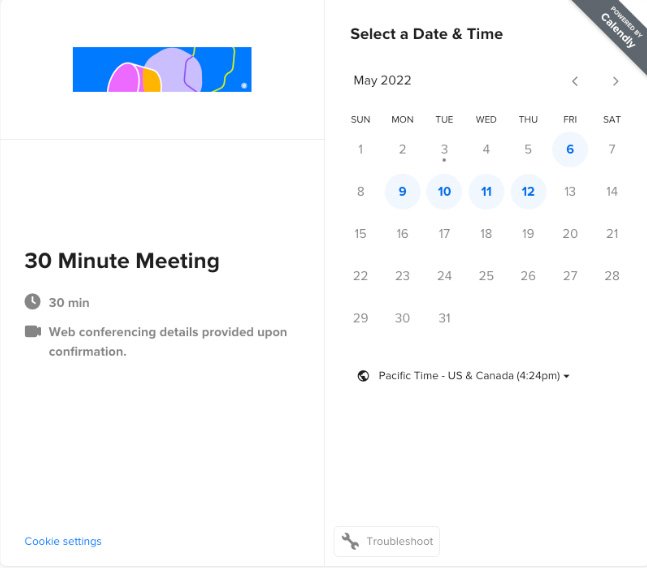
Scheduling meetings should be simple. Yet arranging a single call can involve several emails, conflicting calendars, time zone confusion, and unnecessary follow-ups. Calendly aims to eliminate that friction by letting people choose an available time from a booking page instead of negotiating schedules manually.
But is Calendly worth paying for, or is the free plan enough? And how does it compare with alternatives such as Cal.com and Acuity Scheduling?
In this Calendly review, we examine its main features, pricing plans, advantages, limitations, and best use cases to help you decide whether it fits your workflow.
Calendly Review: Quick Summary
Calendly is an online scheduling platform that automates appointment booking, calendar coordination, reminders, and team scheduling. It is particularly useful for consultants, freelancers, sales teams, recruiters, and businesses that arrange meetings regularly.
| Category | Our assessment |
|---|---|
| Best for | Professionals and businesses that schedule frequent meetings |
| Free plan | Yes |
| Paid plans | Standard, Standard Plus, Teams, Teams Plus, and Enterprise |
| Main strengths | Simple booking links, calendar integrations, scheduling automation |
| Main limitations | Important features require paid plans; team features can increase costs |
| Best starting point | Free for basic needs; Standard for more advanced individual scheduling |
| Review rating | 4.4/5 — editorial assessment based on published features and plan information |
Our verdict: Calendly is a strong choice if scheduling is a recurring part of your work. Its free plan is a useful starting point, while paid plans become more attractive when you need multiple event types, automated reminders, payments, or team scheduling.
This review is based on publicly available product documentation and pricing information, rather than a claim of independent hands-on testing. Features and prices may change, so confirm the latest details before purchasing.
What Is Calendly?

Calendly is an online appointment scheduling tool that helps individuals and organizations coordinate meetings without the usual back-and-forth emails.
Instead of asking someone when they are available, you share a booking link. The other person sees the time slots you have made available, selects one, and receives a confirmation. Calendly then adds the meeting to the connected calendars and can help manage reminders and other scheduling tasks.
Common use cases include:
- Freelancers and consultants: Let clients book consultations without manually arranging every appointment.
- Sales teams: Allow potential customers to book calls with the right sales representative.
- Recruiters: Coordinate interviews with candidates across different time zones.
- Small businesses: Accept appointments through a website, email signature, or booking link.
- Internal teams: Arrange meetings involving multiple people and calendars.
Calendly is primarily a scheduling platform. It can connect with video conferencing, calendar, payment, and business applications, helping it fit into an existing workflow rather than replace every tool a business uses.
Calendly Features: What Can It Do?
1. Booking Pages and Scheduling Links
Calendly’s central feature is its personalized booking page.
You set your availability, choose the type of meeting you offer, and share a link with clients or colleagues. Invitees can then select a suitable time without needing to exchange multiple messages.
You can create different event types for different purposes, such as a 15-minute introductory call, a 30-minute consultation, or a longer client meeting. The number of event types available depends on your plan.
Why it matters: A booking page can reduce administrative work and make it easier for clients to schedule a meeting when they are ready.
Best for: Freelancers, consultants, service businesses, and professionals who regularly arrange appointments.
2. Calendar Integrations
Calendly connects with supported calendar services to check availability and help prevent double bookings.
Its scheduling workflow can work alongside services such as Google Calendar, Microsoft Outlook, and other supported calendar platforms. You can also connect compatible video conferencing services so that online meetings have the relevant joining details.
The number of calendar connections and available integrations depends on your subscription and the specific integration.
Why it matters: Keeping availability synchronized helps reduce scheduling conflicts and makes it easier to manage meetings across different tools.
Before subscribing, check whether Calendly supports the calendar accounts and conferencing services you already use.
3. Automated Reminders and Workflows
Manual reminders take time, particularly when you manage multiple appointments every day.
Calendly offers scheduling automation and reminder features on eligible plans. Depending on the plan and configuration, these can help send meeting reminders, coordinate follow-ups, and reduce the amount of manual communication required.
Automated reminders are particularly useful for businesses where missed appointments result in lost revenue or wasted staff time.
However, not every automation is included in the free plan. Review the feature comparison carefully if reminders and workflows are central to your requirements.
4. Team Scheduling and Round-Robin Booking
Individual booking links work well for one-person businesses. Larger teams often need a more coordinated approach.
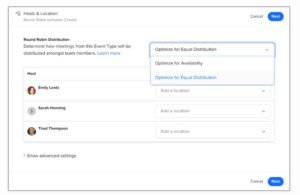
Calendly’s team-oriented features can help distribute meetings among available team members, arrange meetings involving multiple hosts, and route qualified leads to the appropriate person.
For example, a sales team may want incoming prospects to book with an available representative rather than select a particular employee manually.
These capabilities are especially relevant to sales departments, recruitment teams, customer success teams, and organizations with shared scheduling responsibilities.
Important: Round-robin scheduling and advanced lead-routing features require an eligible paid plan. Check the current plan comparison before committing.
5. Payment Collection
Calendly supports payment integrations, including Stripe and PayPal, on eligible plans.
This can be useful when you charge for consultations, coaching sessions, or other bookable services. Instead of arranging an appointment and requesting payment separately, you can connect supported payment tools to the booking process.
Before relying on this feature, verify payment-provider availability in your country, the currencies you can accept, transaction fees, and the applicable Calendly plan requirements.
6. Integrations and Business Workflows
Calendly can connect with a range of business applications, including supported calendar, video conferencing, CRM, marketing, and automation tools.
The value of these integrations depends on how you work. A freelancer may need little more than a calendar connection and a booking link. A sales team may need scheduling data to flow into its CRM and trigger follow-up actions.
Some integrations and advanced routing capabilities are restricted to specific plans. Check the official integration documentation to confirm that your preferred applications are supported.
Calendly Pricing: How Much Does It Cost?
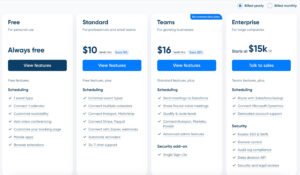
Calendly offers a free plan and several paid subscriptions. Its published annual-billing prices include the following options.
| Plan | Starting price with annual billing | Best for |
|---|---|---|
| Free | $0 | Basic one-on-one scheduling |
| Standard | $10 per seat/month | Individuals who need more event types, calendar connections, and workflows |
| Standard Plus | $18 per seat/month | Individuals who also want eligible AI meeting tools |
| Teams | $16 per seat/month | Teams that need shared scheduling and lead routing |
| Teams Plus | $24 per seat/month | Teams that also want eligible AI meeting tools |
| Enterprise | From $15,000/year | Larger organizations with advanced administration and security needs |
Prices are in USD and reflect the published annual-billing rates available when this article was prepared. Monthly billing may cost more. Enterprise pricing has specific requirements, including a stated 50-seat starting minimum. Features, add-ons, and eligibility can change.
For the latest pricing and full feature comparison, visit the official Calendly pricing page.
Calendly Free: Is It Enough?
The Free plan can be sufficient if you need a straightforward way for people to book one-on-one meetings.
It includes one active event type and one calendar connection, along with a customizable booking page and basic scheduling functionality.
The main limitation is flexibility. If you need several booking types, multiple calendar connections, automated reminders, or more advanced workflows, you may need to upgrade.
Choose Free if: You are trying online scheduling for the first time, have simple booking requirements, or only need one primary meeting link.
Calendly Standard: Best for Many Individual Users
Standard is worth considering when the free plan no longer supports your workflow.
It adds unlimited event types, multiple calendar connections, automations and reminders, and eligible payment and business integrations.
For consultants or service providers who schedule different types of appointments, these features can make the paid plan more practical than managing multiple manual processes.
At the published annual rate of $10 per seat per month, the cost is $120 per seat for a full year before applicable taxes or other charges.
Choose Standard if: You regularly schedule different types of meetings and want more control over your booking process.
Standard Plus: For Individuals Who Need More Than Scheduling
Standard Plus includes the Standard feature set alongside eligible AI meeting tools, including Calendly’s Notetaker and Callie assistant features.
These additions may be useful if your workflow involves meeting recaps, action items, or email-based scheduling assistance. Their availability and precise capabilities may depend on the product’s current release status and configuration.
Choose Standard Plus if: You already benefit from Standard and have a clear need for the additional meeting-management tools.
If you only need a booking link and calendar synchronization, the extra cost may not be justified.
Calendly Teams: For Growing Businesses
Teams is designed for organizations that need more than individual scheduling links.
Its features include team scheduling, round-robin meeting distribution, lead routing, and additional integrations and administration capabilities.
These features can help sales and recruitment teams manage incoming meeting requests more efficiently. However, the price is charged per seat, so the total subscription cost increases with the number of users who need access.
Choose Teams if: Multiple employees handle bookings and your business needs to distribute meetings or route leads automatically.
Teams Plus and Enterprise
Teams Plus adds eligible AI meeting tools to the Teams feature set. It may be appropriate for organizations that want team scheduling alongside meeting recaps and scheduling assistance.
Enterprise targets larger organizations that need advanced administration, security, compliance-related features, and dedicated support.
Enterprise pricing starts at a substantially higher annual commitment than individual plans, so smaller businesses should compare their actual requirements before considering it.
Our pricing recommendation: Start with Free if your needs are basic. Consider Standard when you need more scheduling flexibility, and choose Teams when team coordination and lead routing justify the additional per-seat cost.
Calendly Pros and Cons
Pros
- Easy booking process: Invitees can select a time without lengthy email exchanges.
- Less manual coordination: Calendar synchronization and scheduling automation can reduce repetitive work.
- Useful integrations: It can fit into existing calendar, video conferencing, payment, and business workflows.
- Scales beyond individual use: Paid plans support team scheduling and lead routing.
- Free entry point: You can begin with basic scheduling without committing to a paid subscription.
Cons
- The free plan is limited: One event type and one calendar connection may not suit more complex workflows.
- Advanced features cost more: Team scheduling, routing, and other capabilities depend on plan eligibility.
- Per-seat pricing adds up: Costs rise as more employees need paid access.
- Another tool to manage: Businesses may need to configure integrations and workflows to get the full benefit.
- Not a complete business-management system: Calendly focuses on scheduling rather than replacing a CRM, project management platform, or full appointment-management suite.
Calendly vs. Cal.com vs. Acuity Scheduling
Calendly is not the only option for online scheduling. The right choice depends on whether you prioritize straightforward booking, flexible scheduling, team features, or appointment-based business management.
| Feature | Calendly | Cal.com | Acuity Scheduling |
|---|---|---|---|
| Free plan | Yes | Yes, for individuals | No permanent free plan; trial available |
| Main focus | General meeting scheduling | Flexible scheduling for individuals and teams | Appointment and service scheduling |
| Team scheduling | Available on eligible paid plans | Available on eligible paid plans | Supports multiple calendars on higher plans |
| Payments | Supported integrations on eligible plans | Supported payment integrations | Supports several payment providers |
| Best suited for | Professionals and teams arranging meetings | Users who want flexible scheduling options | Service businesses managing appointments and packages |
Calendly vs. Cal.com
Cal.com is a strong alternative if you want a free individual plan with more flexibility around event types and calendar connections. Its paid team plans provide features such as round-robin scheduling and routing forms.
Calendly may be a better fit if its interface, integrations, and existing workflow match your needs. Cal.com is worth comparing if you want to explore a different approach to scheduling or need more functionality on an individual free plan.
Compare the current options on the Cal.com pricing page.
Calendly vs. Acuity Scheduling
Acuity Scheduling is particularly relevant to businesses that manage bookable services, client intake forms, payments, packages, and appointments.
For example, a consultant offering paid sessions or a service provider managing several appointment types may find Acuity’s business-oriented scheduling features useful.
Calendly is often a more natural fit for general meetings, introductory calls, interviews, and team booking workflows. Acuity may be worth evaluating when appointments and service management are at the center of the business.
See the Acuity Scheduling pricing page for its current plans.
Which should you choose?
- Choose Calendly for a straightforward meeting-booking workflow and business scheduling integrations.
- Choose Cal.com if its free individual features or team plan better match your scheduling needs.
- Choose Acuity Scheduling if you need a more service-oriented appointment system with client forms, payments, and packages.
Is Calendly Worth It?
Calendly can be worth paying for when it saves enough time or prevents enough scheduling friction to justify the subscription.
The free plan is a sensible starting point for individuals who need one basic booking link. Standard becomes more attractive when you need multiple event types, additional calendar connections, and automation. Teams is more appropriate when meetings must be distributed among employees or incoming leads need to reach the right person.
However, paying for features you rarely use will not provide much value. A solo professional who only schedules occasional calls may not need a paid subscription. A business that handles a high volume of client appointments may benefit much more from automation.
Before upgrading, identify the features you actually need, check the relevant plan limits, and calculate the annual cost for every required seat.
Our Final Verdict
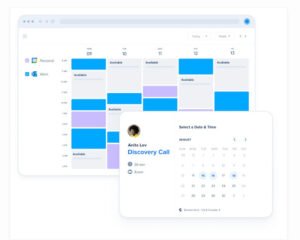
Calendly is a capable scheduling platform for professionals and businesses that want to reduce the time spent coordinating meetings. Its booking pages, calendar integrations, automation options, and team features make it useful across a range of workflows.
Its main trade-off is that the most flexible scheduling and collaboration features require paid plans. The per-seat pricing model also means that costs can grow as a team expands.
Our recommendation: Try the Free plan first if your needs are simple. Consider Standard for more advanced individual scheduling, or Teams if your business relies on shared scheduling and lead routing.
If you need more flexibility in a free individual plan, compare Cal.com. If your business revolves around paid appointments and service packages, consider Acuity Scheduling as well.
Visit Calendly’s Official Website
Frequently Asked Questions
Is Calendly free to use?
Yes. Calendly offers a Free plan for basic scheduling. It includes one active event type and one calendar connection. More advanced features, such as additional event types and team scheduling, require an eligible paid plan.
How much does Calendly cost?
Calendly’s published annual-billing prices start at $10 per seat per month for Standard, $18 for Standard Plus, $16 for Teams, and $24 for Teams Plus. The Free plan costs nothing, while Enterprise starts at $15,000 per year. Monthly billing may be more expensive, and plan details can change. Check the official pricing page before subscribing.
Is Calendly Standard worth paying for?
Standard may be worthwhile if you need multiple event types, additional calendar connections, automations, reminders, or supported payment integrations. If you only need a single booking link, the free plan may be enough.
What is the difference between Calendly Standard and Teams?
Standard is primarily intended for individuals and general scheduling needs. Teams adds capabilities such as round-robin scheduling, lead routing, and more centralized team management. Choose based on whether you need individual scheduling flexibility or coordinated bookings across a team.
What are the best Calendly alternatives?
Cal.com is worth considering for its flexible individual scheduling options and team features. Acuity Scheduling is a strong candidate for service businesses that need appointment management, client forms, and payment options. The best alternative depends on your workflow and budget.
Does Calendly have an affiliate program?
Calendly’s official partner inquiry page states that it does not currently offer a public affiliate, referral, or reseller program. Do not assume that a standard Calendly link will generate a commission. If you publish this review on an affiliate website, verify each merchant’s program terms before promoting commission-based offers.
Affiliate Disclosure
SiftGain may earn a commission when readers purchase products through qualifying affiliate links on our website, at no additional cost to them. This article’s links to Calendly are provided for informational purposes and are not presented as affiliate links. We aim to provide useful, transparent information to help readers make informed software decisions.
Pricing, product features, and subscription terms can change. Please confirm the latest details on the provider’s official website before making a purchase.
[…] a deeper look at Calendly itself, read our Calendly Review, which covers its features, pricing, advantages, and […]